
For Teachers
Khan Academy Kids for teachers
Khan Academy Kids gives PreK–2 teachers 4,000+ math, literacy, and executive functioning activities, books, and videos to use as extra practice at school or at home. Free teacher tools let you assign lessons by standard and see how every student is doing. No ads and no subscriptions.
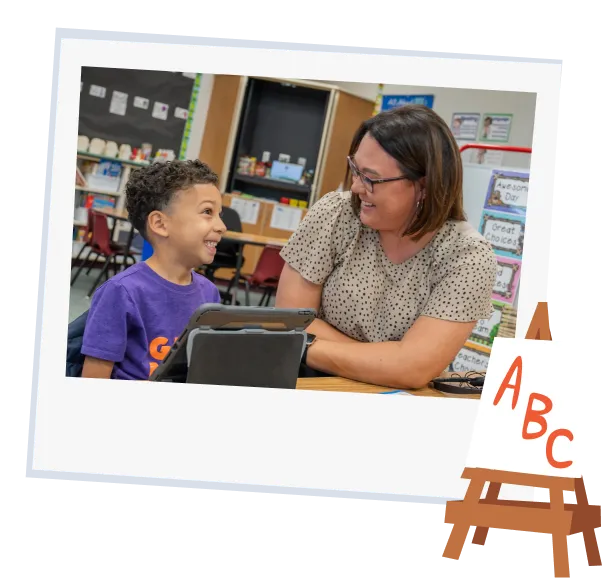
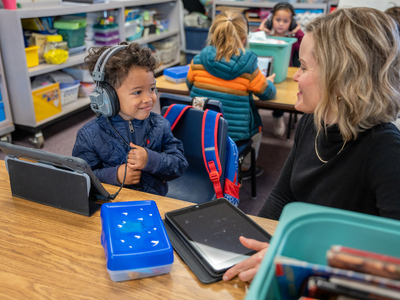
Free Learning App for Students. Teacher using Khan Academy Kids with young students in the classroom.
Proud to be a trusted name in early learning
Khan Academy Kids is a 5-star rated app on Common Sense Media, an Editor's Choice winner from Children's Technology Review, a Parents' Choice Gold Award recipient, and an Apple App Store Editors' Choice pick.
Award badges showing Khan Academy Kids as a trusted, top-rated early learning app.
Where Khan Academy Kids fits in your day
Your students are at different levels, and prep time is hard to find. With Khan Academy Kids, students can follow a learning path that adjusts to their level, or you can assign lessons for the skills you know they need extra help with. Either way, they practice independently at home or in centers while you work with a small group and gain real-time, actionable data you can use without adding "grading worksheets" to your overflowing to-do list.
In your classroom
  • Centers and independent work. Each child starts at their own level. One center can serve a student learning letter sounds and a kid already blending words.
  • Targeted practice. Search by skill or standard, then assign to your whole class, a small group, or an individual student.
  • Quick sign-in. Students sign in with a picture avatar. No 6-year-olds trying to log in with an email and password.
  • Class reports. See how students scored on practice activities and assignments.
  • Optional Clever rostering. Bring over your class list instead of typing it in and carry data from year to year.
At home
  • Free for families, too. Kids can keep learning at home on tablets, phones, and Chromebooks, on iOS, Android, and Amazon devices.
  • No emails collected. Families connect to your teacher account via a class code.
  • Assignments go home. Students sign in at home and pick up the lessons you've assigned.
  • Family take-home letter. Help parents get started with a ready-to-send letter.
  • Progress for conferences. Download a class report to walk families through what their child has been practicing.
But does it actually work?
Proven at home: a randomized controlled trial
Researchers at the University of Massachusetts Amherst ran a randomized controlled trial with a group of four- and five-year-olds from low-income families. Children used Khan Academy Kids at home for about 13 minutes a day over 10 weeks.
34th → 47th
Overall pre-literacy percentile. The comparison group barely moved.
23rd → 47th
Phonological awareness percentile. Comparable to 25 one-on-one tutoring sessions with a trained tutor.
Phonological awareness is one of the strongest predictors of long-term reading success, and it’s the skill that grew most in the study.
Source: Arnold, D.H., et al. (2021). Journal of Children and Media. · Read the full breakdown →
Working in classrooms: Future Ready Five
Future Ready Five, a Columbus, Ohio nonprofit, brought Khan Academy Kids into independent child care centers across Franklin County as part of its Kindergarten Readiness Collaborative.

Growth in Literacy Outcomes

71% growth in literacy outcomes among children ages three to five
Across roughly 650 children in 2025–26, each child completed about 81 lessons and mastered about 55. For teachers, that means regular practice all year without cutting into teacher-led instruction.
What educators are saying
“Khan Kids is user friendly for our teachers. The students are engaged within the platform. It allows teachers to hone in and assign specific skills that students may need more practice with as a whole class or for differentiation.”
Lori Anderson,
Director of Curriculum
“The app supports early literacy, math, and social-emotional development through fun, age-appropriate content. It offers personalized learning experiences and easy-to-use teacher tools to support differentiated instruction.”
Adam Geiman, Instructional Technology Specialist
“I began using the Khan Kids app last school year and immediately fell in love. I felt like I had finally found the app all primary teachers have been in search of - easy to use, tied to standards, differentiated, AND my kids love it!”
Mattie, Kindergarten Teacher
“Khan Kids supplements K-2 programming in a standards-aligned, adaptive way that supports moving student learning.”
Eun Mee Willm, Senior Director of STEM
How much screen time
does it take?
If screen time is on your mind, it's on ours too. We want every minute on a screen to count. At Future Ready Five, children used Khan Academy Kids for under 15 minutes a week, and the program has seen literacy gains two school years running. In the UMass Amherst study, about 13 minutes a day at home was enough to move pre-literacy scores. And with no ads, those minutes go to learning.
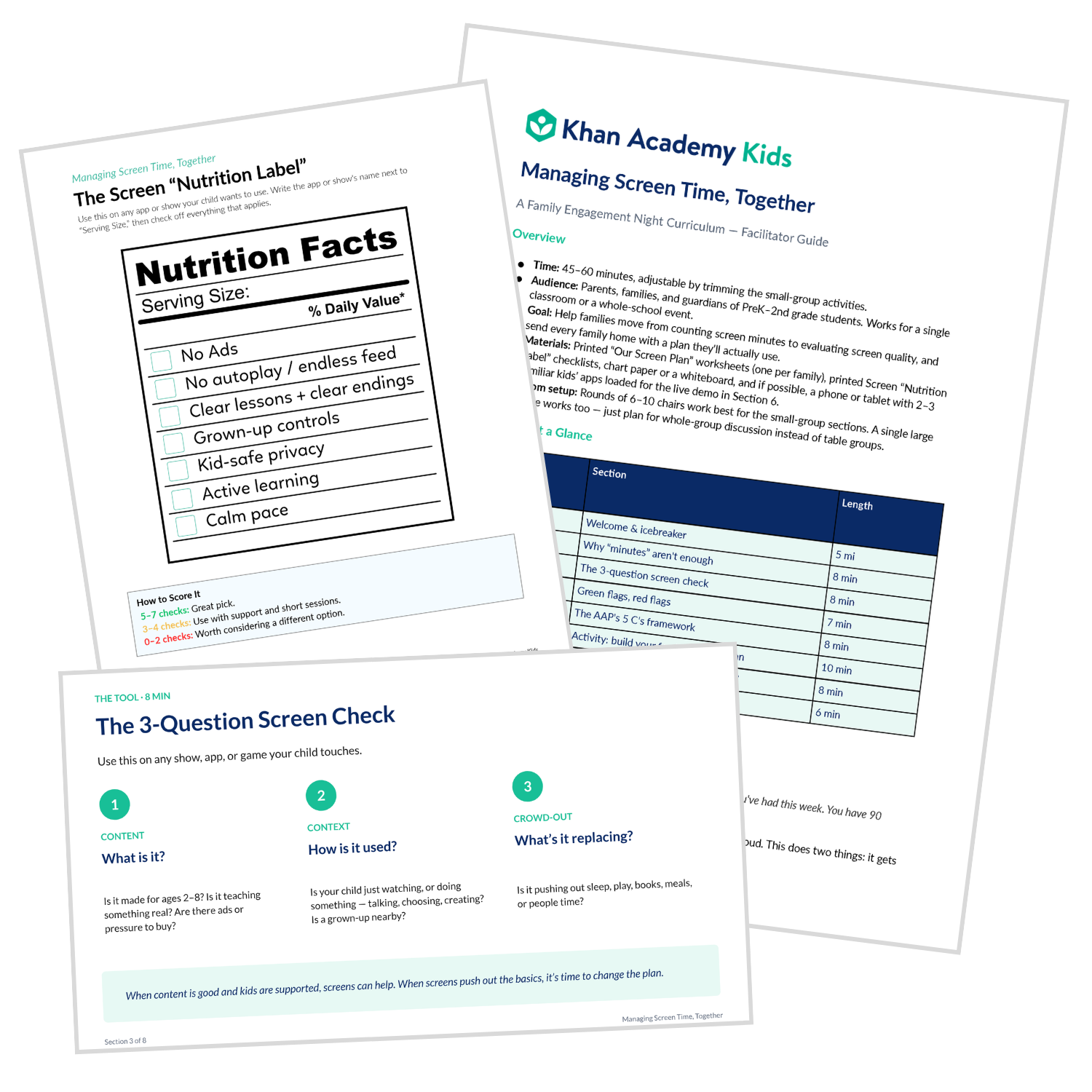
If you're ready to have more meaningful conversations with families about screen time, we've got you covered. The Managing Screen Time Together Toolkit provides everything you need to run the screen time conversation with your school community: a Back-to-School Night talk, a Parent Night curriculum, send-home worksheets, and discussion starters.
Get the Managing Screen Time Together Toolkit
Which version is right for you?
For your own classroom, the free version has you covered. Khan Academy Kids for Schools is for schools and districts that want to use the app across classrooms, with web-based access for teachers, implementation support, and advanced reporting.

For Teachers

Free for your classroom
  • 4,000+ activities, books, and videos
  • A learning path that adapts to each child
  • Class account with class codes
  • Assign lessons by standard
  • Class reports
  • Optional Clever rostering
Set up a free teacher account

For Schools and Districts

Khan Academy Kids for Schools

Everything in the free version, plus:

  • Teacher dashboard on the web. Search by skill, assign lessons, and pull reports from a laptop instead of a tablet.
  • Early Childhood Assessments. Play-based, bilingual assessments that work alongside DRDP, Teaching Strategies GOLD, and other observational tools.
  • Professional learning with live sessions and on-demand resources.
  • A dedicated implementation manager who helps your school set goals.
  • Technical support for devices, accounts, and rostering.
  • School and district reports that show your leaders the growth you're seeing.
$5 / student / year

Partnerships start at 100 students.
Publicly funded PreK programs: free for 2026–27 and 2027–28.

Explore paid partnership
Want it for your whole school? Pass it along.

Your school or district makes the purchase, and teachers are often the first to bring it up. If Khan Academy Kids for Schools would help your classroom, pass it along.


  • Send a ready-made email. Share Khan Academy Kids with your coach, program director, or principal. Email template →
  • Point them to funding options. Schools often fund it through Title I, II, III, or IV-A, or state early literacy initiatives. Funding guide →
  • Check the free PreK pilot. If you teach in a publicly funded PreK program, your program may qualify. Learn more →
Get your class started
Download the app.
Set up your teacher account.

Create your class in a few minutes.
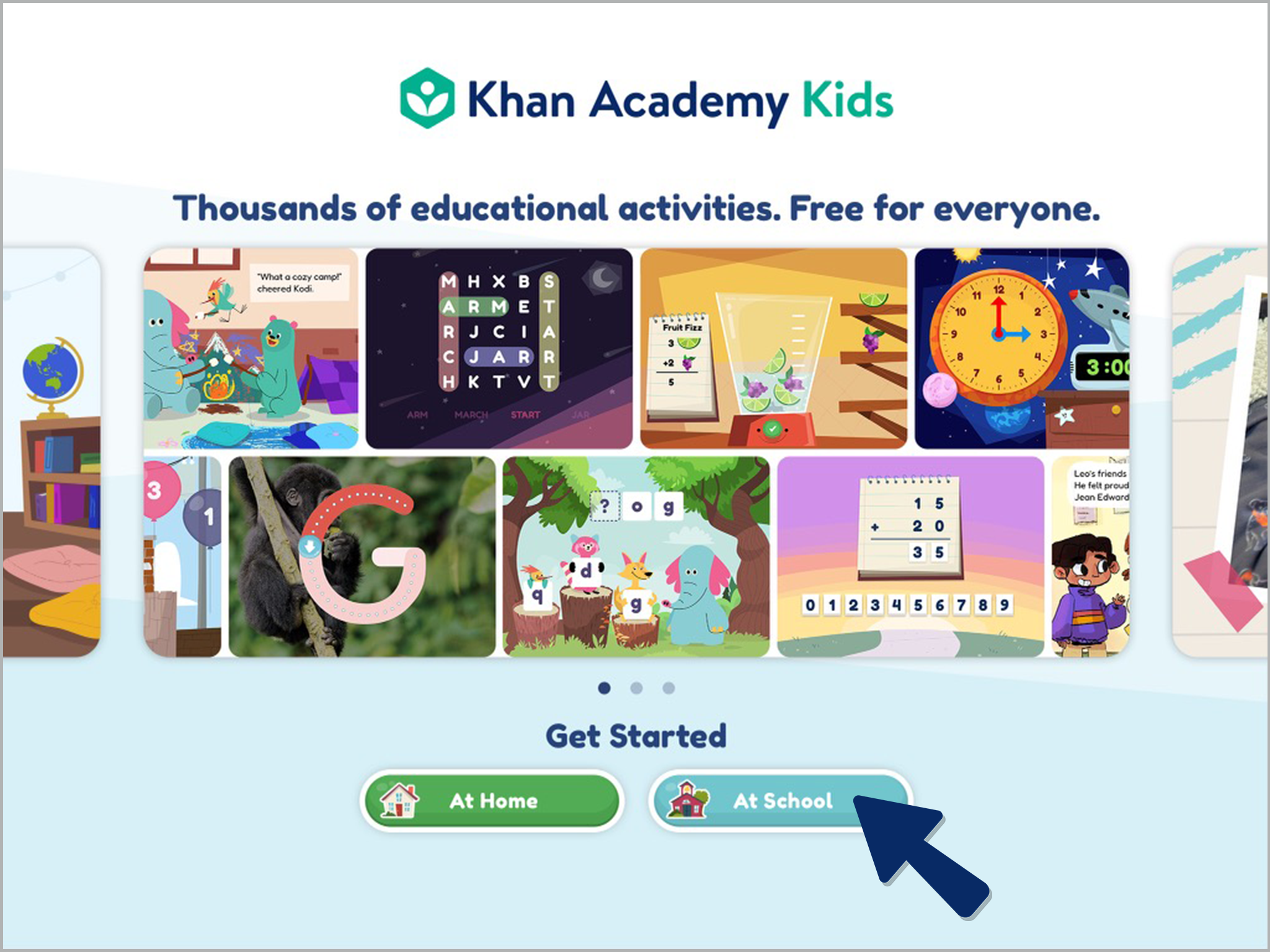
Share your class code.

Students sign in and start learning.
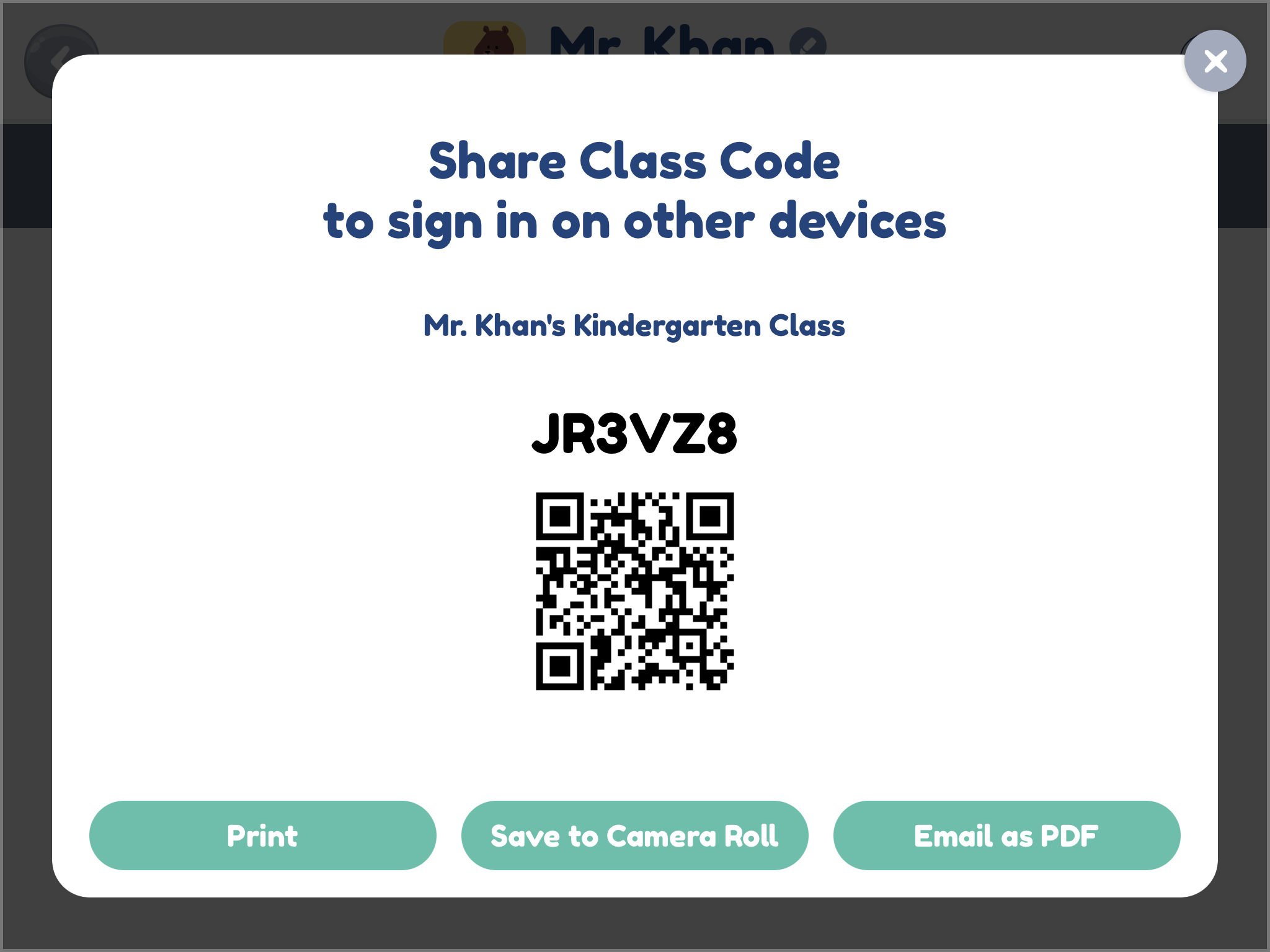
Quick Start Guide: Step-by-step walkthrough for PreK–2 teachers → See the guide
Frequently Asked Questions
Is Khan Academy Kids really free?
Yes. Any teacher can set up a free account, assign lessons, view activities by standard, and see class reports. You don’t need a paid plan to use Khan Academy Kids in your classroom.
What ages and grades is it for?
Khan Academy Kids is built for children ages 2 to 8, from PreK through 2nd grade.
What subjects does it cover?
The Khan Academy Kids app includes over 4,000 standards-aligned Math, ELA, and Executive Functioning activities: 
Reading and literacy‍
  • Recognizing letters and learning letter sounds
  • Phonics, rhyming, and sounding out words
  • Sight words, spelling, and early reading
  • Reading comprehension, predicting, and retelling stories
  • Listening to stories and building reading fluency
Math
  • Counting, number recognition, and number sense
  • Addition and subtraction
  • Shapes, patterns, and sorting
  • Comparing quantities and ordering numbers
  • Measurement, telling time, number lines, and place value
Writing and language
  • Letter tracing and handwriting, aligned to Handwriting Without Tears
  • Vocabulary and word recognition
  • Sentence building and grammar
  • Parts of speech, capitalization, and punctuation
  • Early spelling and written expression
Social-emotional learning (SEL)
  • Identifying and understanding emotions
  • Empathy and understanding others' feelings
  • Friendship and positive relationships
  • Patience, self-confidence, and persistence
  • Self-regulation and mindfulness
Logic and executive function
  • Problem-solving and reasoning
  • Memory and attention
  • Focus and self-control
  • Flexible thinking
  • Recognizing patterns and making connections
Is it aligned to standards?
Yes. Lessons map to the Common Core State Standards and the Head Start Early Learning Outcomes Framework (ELOF). Other state and curriculum standards alignments may be available by request.
How do I set up my class?
Download the app, create your teacher account and class, then share your class code so students can sign in. Students don’t need email addresses. For step-by-step help, visit the Teacher Help Center. Quick Start Guide for Teachers →
Can my students use Khan Academy Kids at home?
Yes. Students can sign in at home and pick up the lessons you’ve assigned. When accessed via your class account, teachers can view student at-home engagement and activity.
What devices does Khan Academy Kids work on?
iOS, Android, and Amazon tablets and phones, plus Chromebooks.
How does Khan Academy Kids fit with concerns about screen time?
We want every minute on a screen to count. Khan Academy Kids is built for active learning, not passive consumption. Kids read, solve, and create instead of just watching, and there are no ads pulling them off task. For ideas on balancing screen time at school and home, get the Managing Screen Time Together toolkit.
Is there a paid plan for just my classroom?
No. Individual teachers already get the classroom tools for free. Khan Academy Kids for Schools is built for schools and districts using it across multiple classrooms, starting at 100 students.
What does Khan Academy Kids for Schools, the paid version, add?
It adds web-based teacher tools, school and district reports, Khan Academy PreK Assessments, professional learning, a dedicated implementation manager, and technical support.
How can my school get the paid version, Khan Academy Kids for Schools?
Your school or district makes the purchase. If it would help your classroom, share it with your admin using our ready-made email. If you teach in a publicly funded PreK program, your whole program may qualify to use Khan Academy Kids for Schools free for the 2026–27 and 2027–28 school years. Check eligibility →
How is student data handled?
Khan Academy is a nonprofit. We don’t sell personal information, show ads, or let third parties track children across other apps or websites. Read our full privacy policy here.
Is this the same as Khan Academy or Khanmigo?
Khan Academy Kids is part of Khan Academy, a nonprofit. Khan Academy Kids is designed for ages 2 to 8. Khan Academy and Khanmigo serve older students and their teachers.